
A small operating system for x86_64 and AArch64, written to be read from the first instruction up.
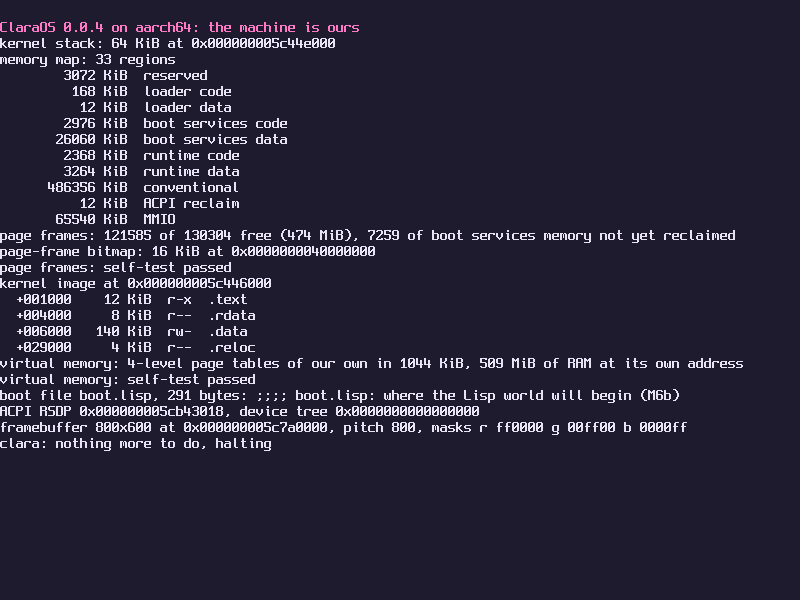
Those two lines at the top are what the kernel prints when it takes over from the firmware. ClaraOS is a Lisp machine in the making: a C kernel small enough for one person to hold in their head, under a world written in Common Lisp. It has a window manager, and a world that was saved in it boots straight into it; its applications are Lisp programs, a text editor and a file browser the first of them, each loaded from its file when it is first picked. It is not a Unix, and it does not try to run Linux software.
Read the source Design Roadmap Manual
The substrate is the C kernel. It brings up the processor, hands out memory, runs threads, takes interrupts, and holds the Lisp runtime itself: the reader, the evaluator and the garbage collector.
The world is Lisp: the console and the REPL, the logic of the drivers, the filesystem, the window manager and every application.
One address space, one heap, no user mode. Lisp code cannot forge a pointer, so protection comes from the language and not from page tables. An application that fails is a condition for the window manager to handle.
The Lisp is a subset of Common Lisp, chosen so that every file also loads under SBCL on an ordinary computer, where it is written and tested.
The image is the system. The whole Lisp world can be saved to the disk, and a machine that finds it there starts from it, with everything that was defined. A world that was saved with the window manager running starts in it.
Version 0.0.18. 16 of 16 milestones are finished, the latest being M13, applications. A milestone counts as finished when the machine boots and passes its own checks on both architectures.
Substrate
- M0boot0.0.1
- M1console0.0.2
- M2physical memory0.0.3
- M3virtual memory0.0.4
- M4exceptions and interrupts0.0.6
- M5threads0.0.7
The Lisp runtime, in the substrate
- M6aobjects and reader0.0.8
- M6bevaluator0.0.9
- M6ccollector and conditions0.0.10
- M7Lisp in the driver's seat0.0.11
Devices and storage
- M8PCIe and virtio0.0.12
- M9disk and files0.0.13
- M10images0.0.14
The world
- M11drawing0.0.16
- M12the window manager0.0.17
- M13applications0.0.18
The roadmap says what each milestone holds and what was left open along the way.
On macOS with Homebrew. clang builds both architectures and QEMU boots them, with the same firmware UTM uses.
brew install llvm lld qemu sbcl
git clone https://github.com/the-clara-os/clara-os
cd clara-os
make test          # boot both architectures without a window
make run-aarch64   # a QEMU window, the serial port on your terminal: type a form
At the prompt, (clara.windows:start) starts the window manager in the QEMU window.
The user manual has the rest: running it in UTM, working at the prompt, files, saving the world, windows, and what to do when something goes wrong.